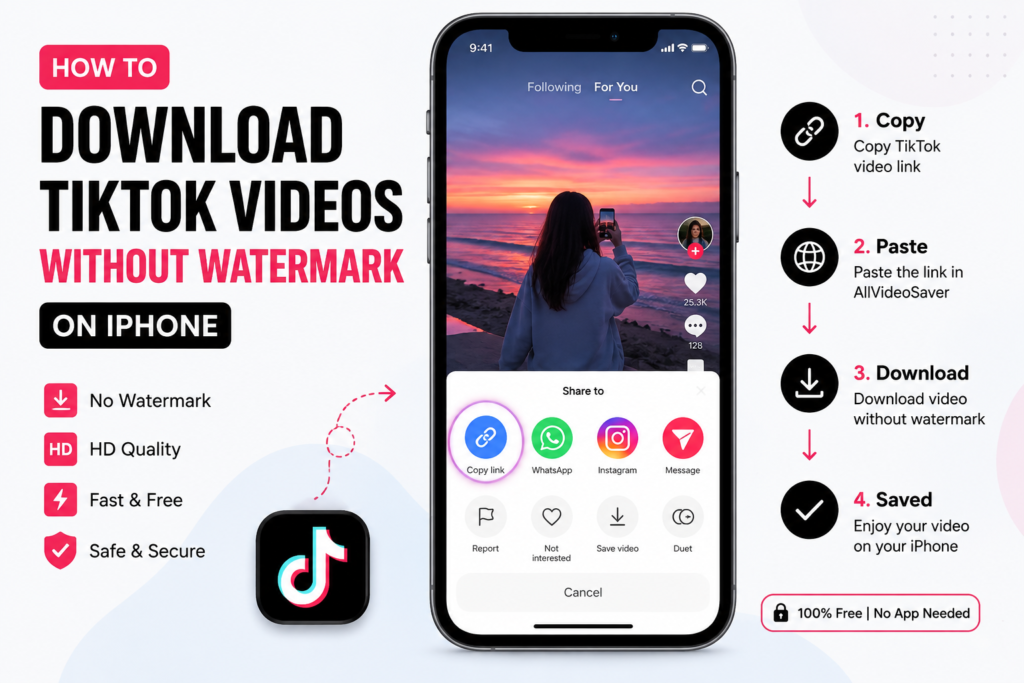
If you are looking for how to download TikTok videos without watermark on iPhone, you can use an online TikTok downloader directly from your browser.
click here: DOWNLOAD TIKTOK VIDEO (HD)
You do not need complicated software or a separate downloader app. With a supported TikTok video link, you can use AllVideoSaver to process the URL and download the available video.
This guide explains the easiest way to download TikTok videos on iPhone, where the files go, how to save them, and what to do when a TikTok download does not work.
Can You Download TikTok Videos Without Watermark on iPhone?
Yes, some online TikTok downloaders can provide a version without the visible TikTok watermark when the source video and available media support it.
The process is simple:
Copy the TikTok link → Open AllVideoSaver → Paste the link → Download the available video
You can complete these steps from your iPhone browser.
Keep in mind that a watermark-free download does not remove copyright ownership. If another person created the video, you should get permission before reposting or using the content commercially.
How to Download TikTok Videos Without Watermark on iPhone
You can follow these steps to save a supported TikTok video on your iPhone.
Step 1: Open TikTok
Launch the TikTok app on your iPhone.
Find the public video you want to save.
Make sure you have the correct video before copying its link.
Step 2: Copy the TikTok Video Link
Tap the Share button on the TikTok video.
Choose Copy Link.
TikTok will copy the video URL to your iPhone clipboard.
Step 3: Open Safari
Open Safari on your iPhone.
You can also use another modern browser if you prefer.
Visit AllVideoSaver.com and open the TikTok video downloader.
You do not need to download a separate app just to use the web-based downloader.
Step 4: Paste the TikTok URL
Find the input box on AllVideoSaver.
Press inside the field and select Paste.
The TikTok video URL should appear in the box.
Check the link before starting the download.
Step 5: Process the Video
Tap the download button.
Wait while the service processes the TikTok video link.
Processing time can depend on the video and your internet connection.
Step 6: Download the Video
When a download option becomes available, select it.
Follow the instructions shown by your browser.
The video may first appear in your iPhone’s Downloads folder.
Where Are TikTok Downloads Saved on iPhone?
If you download a TikTok video through Safari, the file will normally appear in the Downloads folder in the Files app.
To find it:
- Open the Files app.
- Tap Browse.
- Open Downloads.
- Look for your recently downloaded video.
The exact location can depend on your Safari download settings.
If you cannot find the file, check Safari’s download list or your iPhone’s Files settings.
How to Move a Downloaded TikTok Video to Photos
A downloaded video may initially stay inside the Files app instead of appearing in Photos.
If you want to move it to your Photos library:
- Open the Files app.
- Go to Downloads.
- Find the TikTok video.
- Press and hold the video.
- Choose Share.
- Select Save Video if the option appears.
The video should then become available in your Photos library.
Your iPhone may show a different option depending on the file type and iOS version.
Can I Download TikTok Videos on iPhone Without an App?
Yes.
One advantage of an online TikTok downloader for iPhone is that you can access it through Safari.
You do not need to install another application simply to process a TikTok URL.
The basic method is:
TikTok → Share → Copy Link → Safari → AllVideoSaver → Paste Link → Download
This can be useful when you only need to save a TikTok video occasionally.
Can I Download TikTok Videos Without a TikTok Account?
You do not need an AllVideoSaver account to use the downloader.
However, you need a TikTok video URL that the service can access. Publicly available content is generally the most suitable for URL-based downloading.
Never provide your TikTok password to a third-party downloader.
Can I Download TikTok Videos in HD on iPhone?
The available quality depends on the source video and the media version that can be accessed.
If a higher-quality version is available, the downloader may provide it as an option.
For the best result, use a reliable internet connection and select the highest available quality when the option is provided.
Remember that a downloader cannot increase the original detail of a low-quality video.
Can I Download TikTok Videos as MP4 on iPhone?
Yes, MP4 is a widely supported video format.
When an MP4 option is available for the supported TikTok video, you can select it and save the file to your iPhone.
MP4 files can be opened by many media players and editing applications.
They can also be moved from the Files app to Photos when the iPhone supports the file.
Why Is My TikTok Video Not Downloading on iPhone?
Sometimes a TikTok download may not work as expected.
Here are some simple things to check.
Check the video link
Go back to TikTok and copy the link again.
Use Share → Copy Link and paste the new URL into AllVideoSaver.
Check your internet connection
A weak connection can interrupt video processing or prevent the download from completing.
Try switching between Wi-Fi and mobile data.
Check whether the video is public
Private or restricted videos may not be accessible through a normal online downloader.
Update your browser
Make sure Safari or your preferred browser is updated.
Older browser versions can sometimes create compatibility problems.
Try again later
TikTok can change how its platform delivers video content. A temporary technical issue can affect third-party downloading services.
Can You Download Private TikTok Videos on iPhone?
No.
An online TikTok downloader should not bypass TikTok’s privacy settings.
If a video belongs to a private account or is otherwise restricted, it may not be accessible through a public URL.
Only download content that you are allowed to access and use.
Can I Download My Own TikTok Videos Without Watermark?
Yes. Saving your own videos can be useful if you want to keep a backup of your content.
You may want to save your videos to:
- Keep a personal backup
- Edit them later
- Move them to another device
- Organize your video library
- Reuse your own content where you have permission
For the highest quality, keep the original video file whenever possible.
A downloaded copy may not always match the quality of your original recording.
Can I Use a TikTok Downloader Without Installing an App?
Yes.
A browser-based TikTok downloader can work directly through Safari or another compatible browser.
This means you do not need to use your iPhone storage for another downloader application.
You can simply open the website whenever you need to save a supported TikTok video.
Is It Safe to Download TikTok Videos on iPhone?
Use care when downloading files from any website.
Avoid services that ask for your TikTok password, Apple ID, or other sensitive information.
You should also avoid installing unknown profiles, applications, or extensions just to download a video.
For a simple video download, a browser-based service can be a convenient option.
What Happens If the Downloaded Video Does Not Appear in Photos?
Do not worry if the video does not immediately appear in your Photos app.
Safari may save the file to the Downloads folder in the Files app.
Open:
Files → Browse → Downloads
Find the video and use the Share menu to save it to Photos if your iPhone provides the Save Video option.
Can I Download TikTok Videos With Sound on iPhone?
If the accessible source includes audio and the download option supports it, the downloaded file can contain the video’s sound.
After downloading, play the file to make sure the audio works correctly.
If the video has no sound, check whether the original TikTok video contains audio and try processing the link again.
Can I Download TikTok Videos From a Link?
Yes.
A TikTok video URL is the main information an online downloader needs to identify the video.
To get the link:
- Open TikTok.
- Find the video.
- Tap Share.
- Tap Copy Link.
- Open AllVideoSaver.
- Paste the link.
- Start the download.
This method is usually faster than trying to search for the same video again.
Is Downloading TikTok Videos Legal?
Downloading a video does not automatically give you ownership of that content.
A TikTok creator may own rights to the video, images, music, or other material included in it.
If you want to repost or commercially use someone else’s video, get permission when appropriate and follow applicable copyright rules.
For personal use, make sure your activity follows the relevant platform rules and applicable laws.
A watermark-free video is not automatically copyright-free.
TikTok Downloader for iPhone: Quick Method
If you only want the short version, follow these steps:
- Open TikTok on your iPhone.
- Find the video you want to save.
- Tap Share.
- Select Copy Link.
- Open Safari.
- Visit AllVideoSaver.com.
- Paste the TikTok URL.
- Start the download.
- Select an available download option.
- Find the file in Files → Downloads.
You can then move the video to Photos if your iPhone provides the appropriate option.
Frequently Asked Questions
What is the easiest way to download TikTok videos on iPhone?
Copy the TikTok video’s link and paste it into a compatible online TikTok downloader through Safari. Follow the available download instructions to save the video.
Can I download TikTok videos without watermark on iPhone for free?
Some online services offer watermark-free downloads for supported public videos at no charge. Availability can vary depending on the source video.
Do I need to install a TikTok downloader app on iPhone?
No. You can use a browser-based downloader through Safari without installing a separate downloader application.
Where are downloaded TikTok videos stored on iPhone?
Safari usually saves downloaded files in the Downloads folder inside the Files app. Your exact location can depend on your browser settings.
Can I save a downloaded TikTok video to Photos?
Yes. If the downloaded file is compatible, open it from Files and use the Share menu to select Save Video.
Can I download TikTok videos in MP4 on iPhone?
When MP4 is available for the supported video, you can select the MP4 download option and save the file to your iPhone.
Why won’t my TikTok video download?
Check your URL, internet connection, browser, and the video’s availability. Private, deleted, restricted, or unavailable videos may not work.
Can I download a TikTok video from a private account?
No. A downloader should not bypass private account settings or other access restrictions.
Do I need a TikTok account to use AllVideoSaver?
You do not need an AllVideoSaver account. You need a TikTok video URL that the service can process.
Does removing the TikTok watermark remove copyright?
No. Removing a watermark does not transfer copyright ownership. Always respect the creator’s rights and obtain permission when required.
Download TikTok Videos on iPhone With AllVideoSaver
Saving a TikTok video on an iPhone can be simple when you use a browser-based downloader.
With AllVideoSaver, you can copy a supported TikTok video link from the TikTok app, open the downloader in Safari, paste the URL, and follow the available download options.
You do not need complicated software or a separate downloader application.
Whether you want to keep a backup of your own TikTok videos or save a public video for personal viewing, the URL-based method makes the process easy.
Open AllVideoSaver, paste your TikTok video link, and get started.